How to Add or Reassign a Vehicle to the Correct Samsara Asset in MOAB
Last updated: August 18, 2026
If a vehicle in MOAB is linked to a deactivated or incorrect Samsara asset, it can cause issues such as the vehicle not appearing correctly on the dispatch map. Follow the steps below to relink the vehicle to the correct Samsara asset.
Steps to reassign a Samsara asset
Navigate to Assets in MOAB.
Find the asset number for the vehicle you need to update.
Click Edit on that asset.
Under the Samsara Truck field, select the correct unit from the Samsara dropdown.
Save your changes.
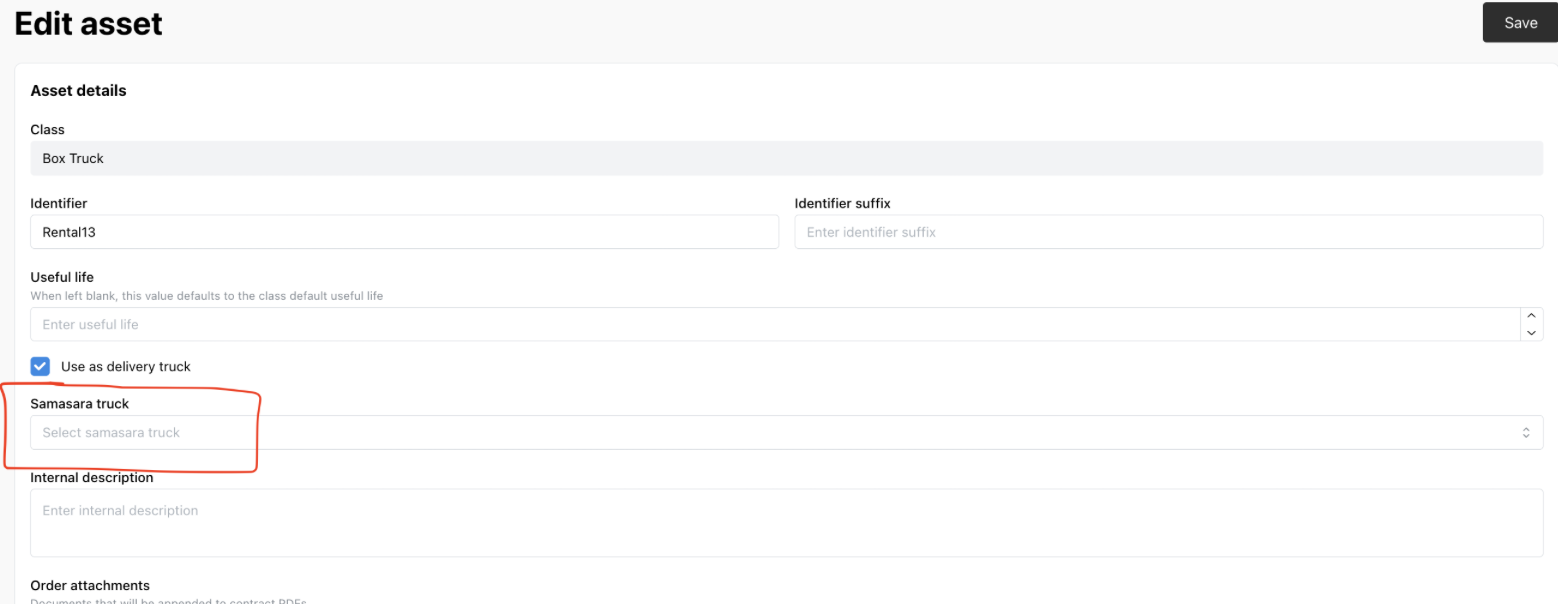
Once updated, the vehicle should appear correctly in the Mobile dispatch map.